# Drift Reconciliation
### What is drift?
In Infrastructure as Code (IaC) and cloud operations, **drift** is when the *actual* state of your environment diverges from the *expected* state defined by your intended configuration. Whether that configuration lives in code, policy, or an approved baseline. Drift usually happens when changes occur outside the normal change-management path. Over time, drift increases the risk of surprises, inconsistent environments, failed deployments, and security or compliance gaps because what’s running no longer matches what teams think is running.
### What Gomboc Drift Reconciliation does
Gomboc can reconcile drift when it’s notified and provided access to a Terraform plan file. Gomboc will show the exact code changes needed to make your Terraform configuration match what is deployed. This helps you:
* Keep your code in sync with manual changes
* Preserve “break-glass” updates made during incident response so they don’t get overwritten later
* Clearly demonstrate what needs to change back if the drift is unwanted (revert-to-code)
***
### HCP Terraform integration
HCP Terraform (Terraform Cloud) can run health assessments on a workspace to determine whether drift exists. When drift is detected, a webhook notification is sent to Gomboc. Gomboc then uses the plan output to determine the exact updates needed in your IaC and provides the deterministic fix to reconcile the drift.
### Integration setup
***
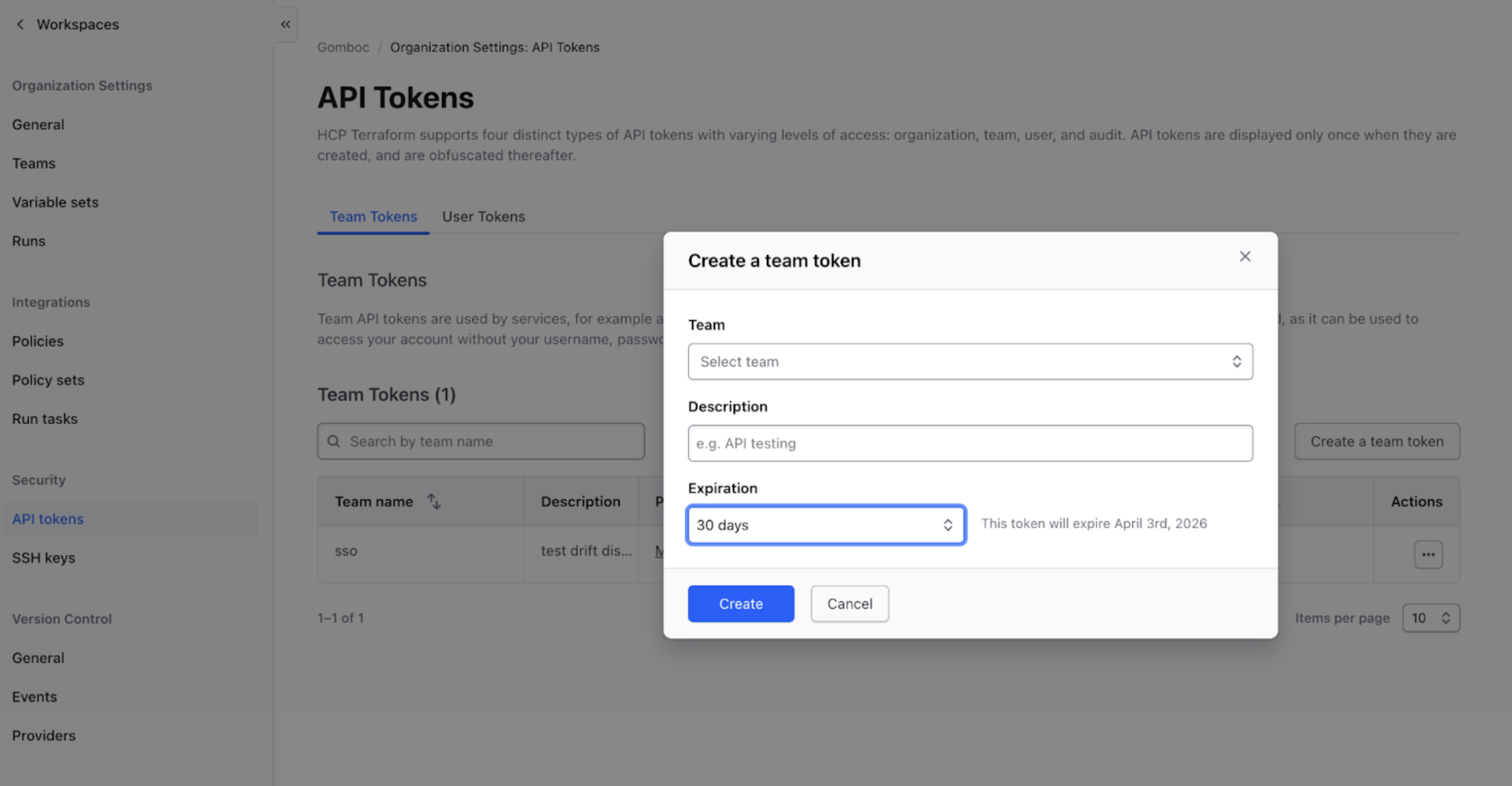
#### Step 1: Create an HCP Terraform team token
In [HCP Terraform](https://app.terraform.io/app/YOUR_ORG/settings/authentication-tokens), go to Organization Settings → Authentication Tokens and create a Team Token.
* Save the token value somewhere secure—you won’t be able to view it again.
***
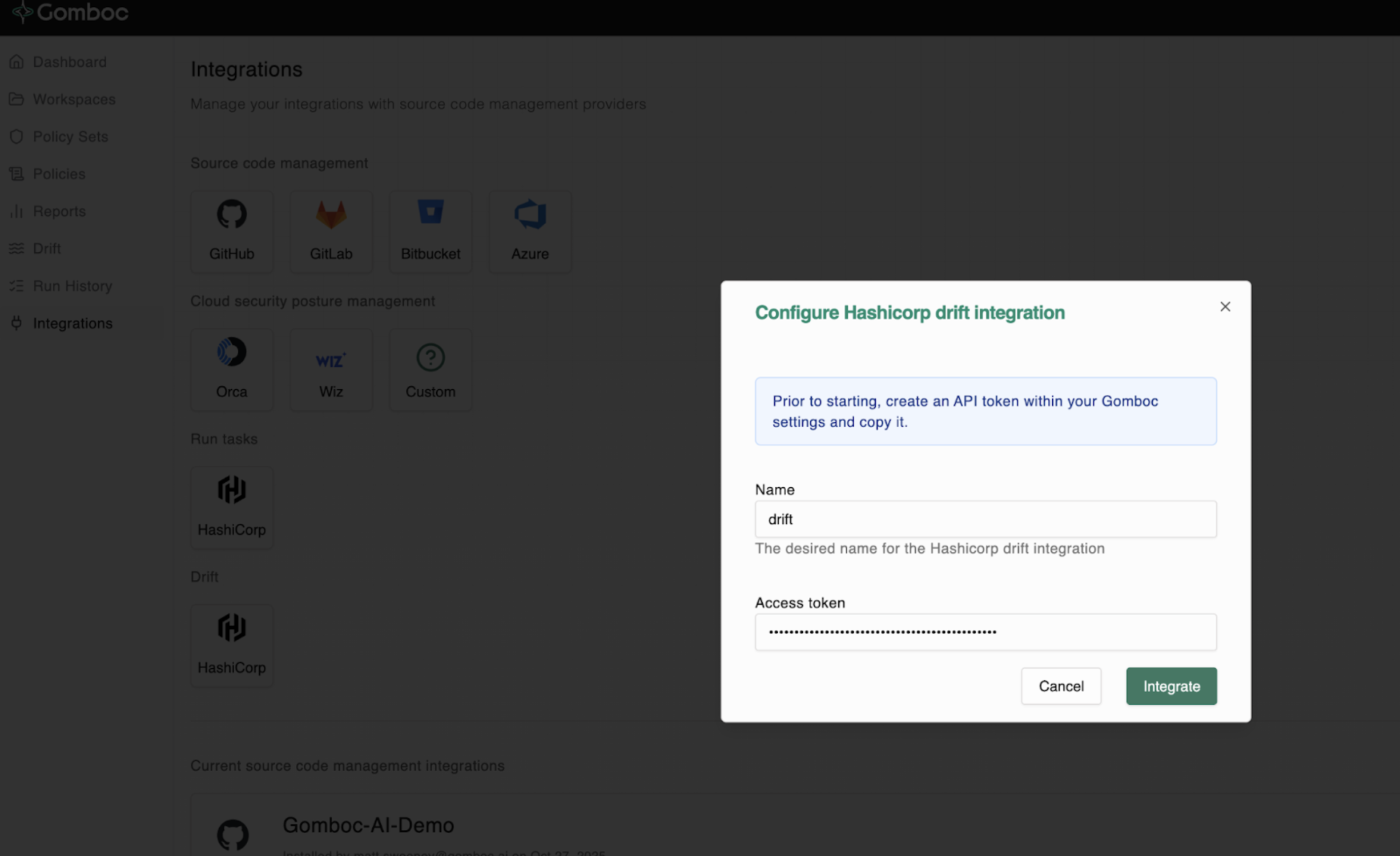
#### Step 2: Create the integration in the Gomboc portal
In the [Gomboc Portal](https://auth.app.gomboc.ai/oauth/account/login), navigate to:
Settings → Integrations → Drift
Create a new drift integration and paste the HCP Terraform Team Token from Step 1.
***
#### Step 3: Copy the Webhook URL and HMAC token from Gomboc
After creating the integration, Gomboc will provide:
* A Webhook URL
* An HMAC token (shared secret used to sign webhook requests)
You’ll paste both into HCP Terraform in the next steps.
***
#### Step 4: Enable health assessments on the HCP Terraform workspace
In HCP Terraform, open the target workspace and navigate to:
Workspace Settings → Health → Enable Health Assessments → Save
This is required for drift detection and drift notifications.
***
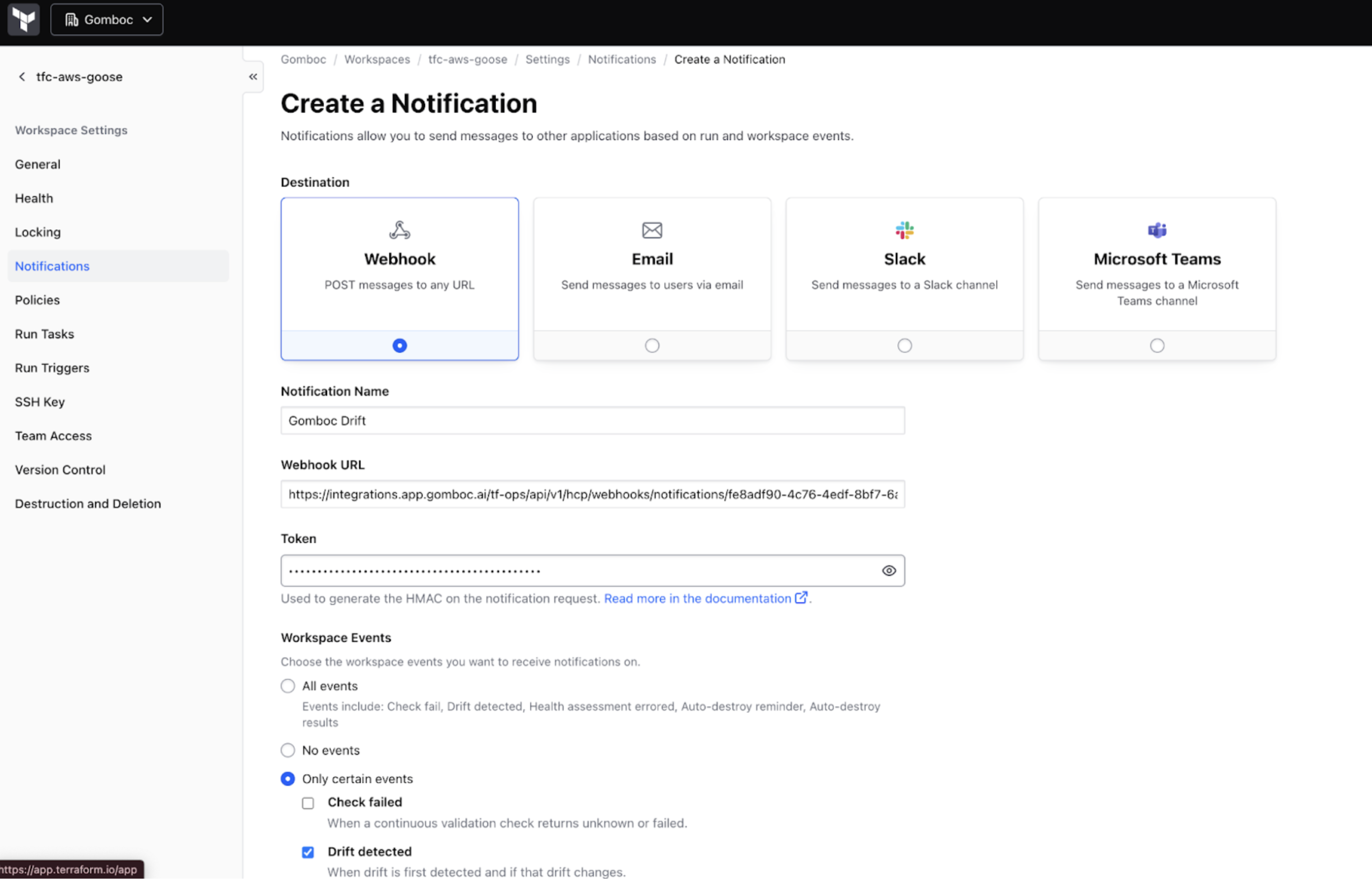
#### Step 5: Create the HCP Terraform notification (webhook)
In the target workspace, navigate to:
Workspace Settings → Notifications → Create a Notification
Configure:
* Destination: Generic webhook
* Webhook URL: paste the Gomboc Webhook URL
* Token (optional): paste the Gomboc HMAC token (HCP Terraform uses this token to sign webhook payloads).
Under Workspace Events, choose Only certain events, then select:
* ✅ Drift detected
Under Run Events, select No events (unless you also want run lifecycle notifications).
Click Create a notification.
***